Special Deals & Converting Between Wallets
Not every good deal fits inside a slider. Specials is where BitLease hand-negotiates terms the standard builders simply can't produce — longer terms, bigger notionals, lower down payments — and releases them in strictly limited drops. Convert is the quieter but no less useful sibling: instant, fee-free transfers between whichever wallets your deals live in.
Special Deals
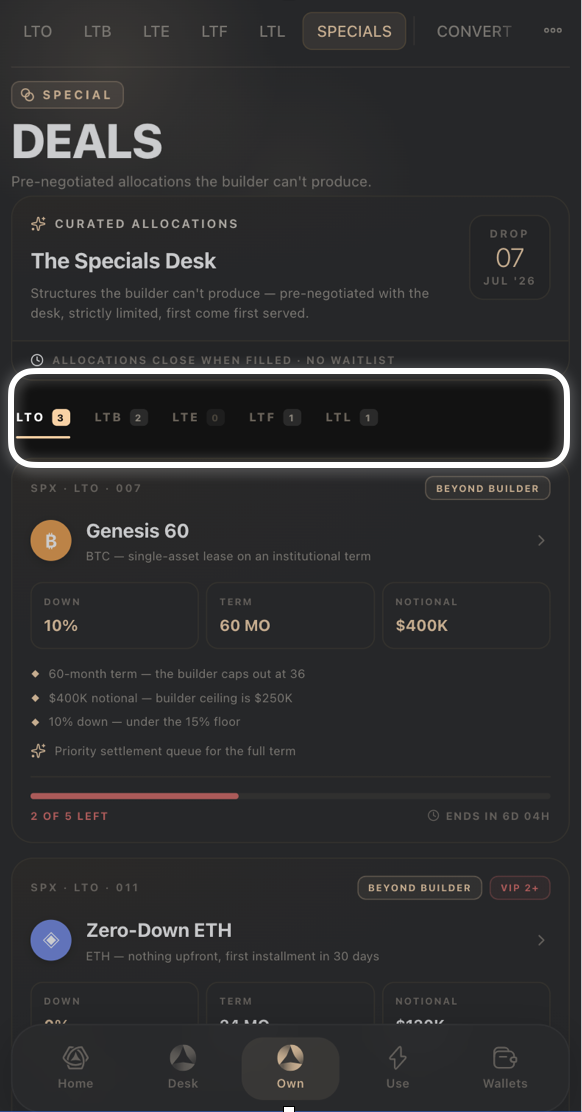
Tap Specials from the Own tab to see The Specials Desk — structures pre-negotiated with the desk, strictly limited, and first come first served. Allocations close when filled; there's no waitlist, so a deal you're eyeing can genuinely be gone by the time you come back to it.
Filter deals by product using the LTO / LTB / LTE / LTF / LTL tabs at the top, each showing a count of currently available deals.
Every deal card is tagged Beyond Builder — meaning its terms sit outside what the regular builder allows (for example, a longer term, a higher notional, or a lower down payment than the standard product supports).
Some deals carry a VIP tier requirement (for example VIP 2+) and are only available once you've reached that tier.
Each card lists exactly which limits it beats (for example "60-month term — the builder caps out at 36"), plus a remaining-quantity bar and countdown until the drop closes.
Converting between wallets
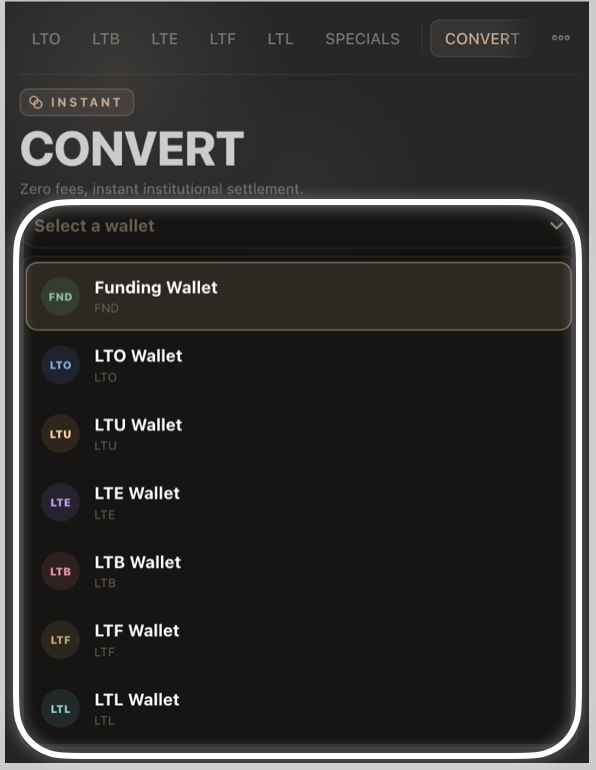
Every product in Own keeps its balance in its own wallet — LTO, LTU, LTE, LTB, LTF, and LTL each have one, alongside your general Funding Wallet. Convert is how you move value between them without waiting on a network confirmation or paying a fee to do it:
Tap Select a wallet and choose the source — Funding Wallet, or one of the product wallets (LTO, LTU, LTE, LTB, LTF, LTL).
Choose the asset and amount to convert.
Tap Convert Now to complete the transfer instantly.
Your past transfers appear under Recent once you've made your first conversion.
Tools & Learn
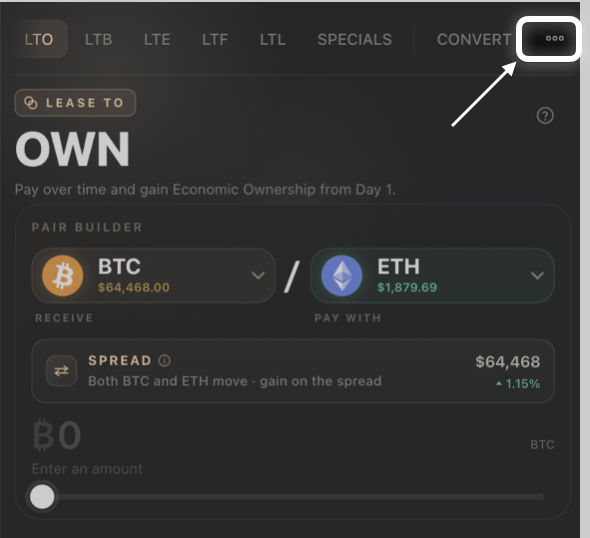
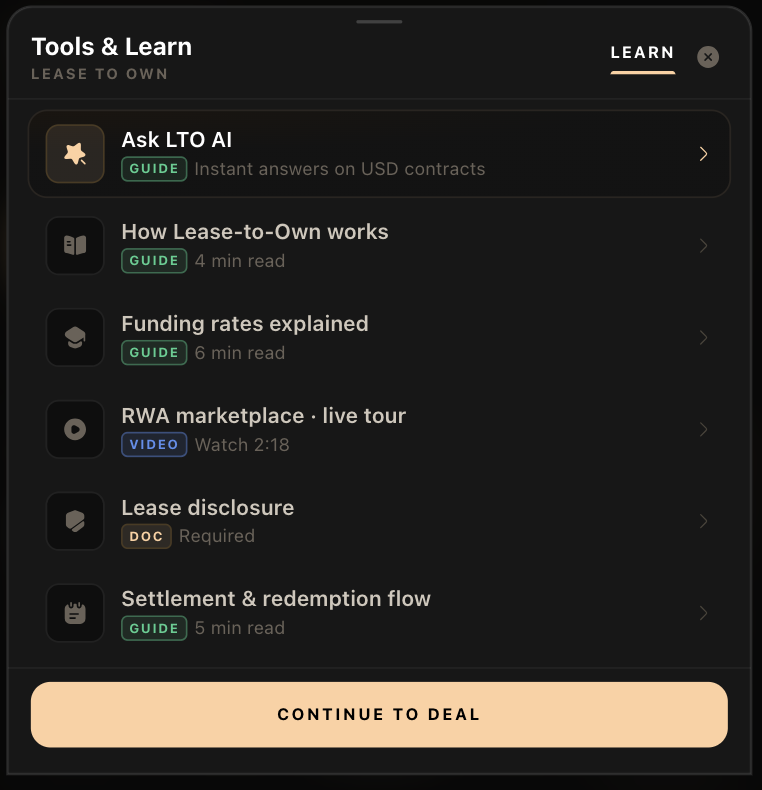
From Convert, tap the Learn panel at the bottom of the screen for quick guides and resources without leaving your deal:
Ask LTO AI — instant answers on USD contracts.
How Lease-to-Own works — a short guide.
Funding rates explained — a short guide.
RWA marketplace · live tour — a short video.
Lease disclosure — a required document.
Settlement & redemption flow — a short guide.
Tap Continue to Deal to close the panel and pick up exactly where you left off.
Good to know:
A Beyond Builder tag doesn't mean lower quality — it means the terms fall outside what the standard sliders can produce, not that the deal skips any of BitLease's usual checks.
Conversions between wallets are instant and carry zero fees, unlike deposits or withdrawals which may involve network ("gas") costs.
Need Help?
If you encounter issues during account creation, contact BitLease Support:
Email: support@bitlease.com
Subject: "Specials & Convert Issue"
Include: A description of the problem, any error messages, and steps you've already tried.
Response Time: Within 24 hours.
For urgent security concerns, email: security@bitlease.com.
Related articles: How to Build an LTL (Lease-to-Liquidity) · A Tour of the Own Tab · Troubleshooting Your Deal