How to Build an LTE (Lease-to-Elect)
It's less a payment plan and more an option: instead of financing one specific asset today, you commit an investment amount per choice, reserve as many candidates as you like, and give yourself a window — anywhere from a month to two years — to actually decide. When the window closes, whatever you've elected is what you end up with; the rest is released.
Step 1 — Set your investment amount
From the Own tab, select LTE.
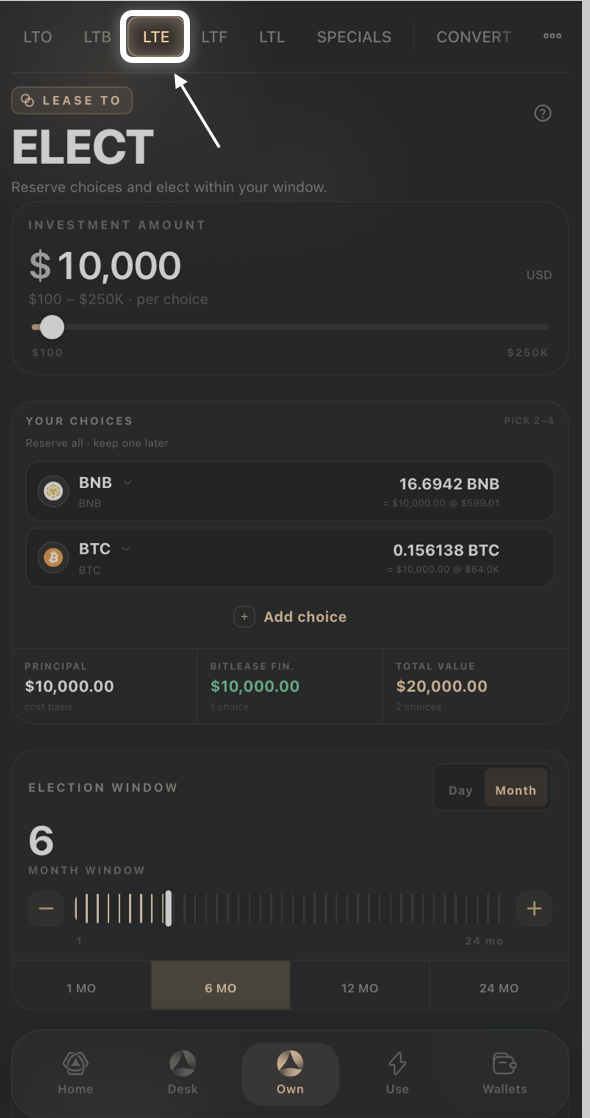
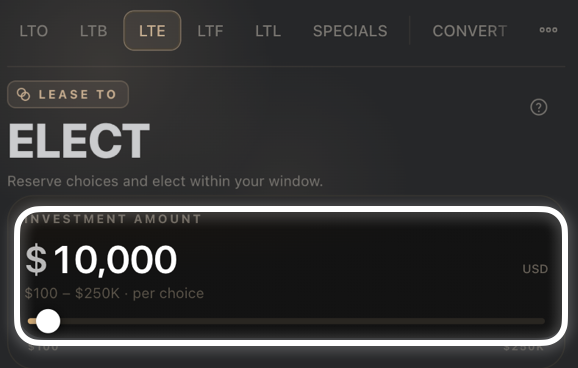
Drag the Investment Amount slider to set how much you're committing per choice ($100–$250K).
Step 2 — Add your choices
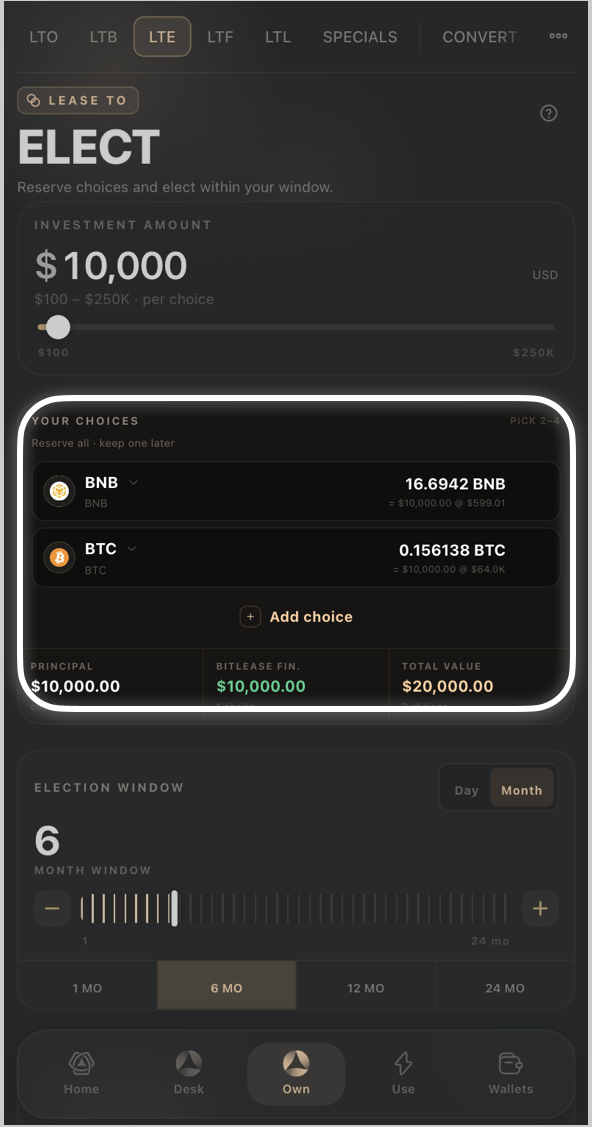
Under Your Choices, each asset you add (for example BNB, BTC, ETH) is reserved at your investment amount.
Tap Add choice to reserve another asset, or the trash icon to remove one.
The Principal, BitLease Fin, and Total Value cards below update as you add choices — BitLease Fin scales with how many choices you're reserving.
Step 3 — Set your election window
Toggle Day or Month for how the window is measured.
Use the slider or the 1 MO / 6 MO / 12 MO / 24 MO presets to set how long you have to elect.
The Conditional Sale Price updates based on your window length, shown with a No Monthly badge — there's no recurring installment on this product.
Step 4 — Review & sign
Tap Full Breakdown to see the complete math, check the HyperHedge Audit indicator, then confirm to reserve your choices.
Good to know:
Your investment amount applies per choice, not split across them — reserving 3 assets at $46,600 each commits more capital than reserving 1.
You elect which asset you actually want within your chosen window; unelected choices are released when the window closes.
Need Help?
If you encounter issues during account creation, contact BitLease Support:
Email: support@bitlease.com
Subject: "LTE Election Issue"
Include: A description of the problem, any error messages, and steps you've already tried.
Response Time: Within 24 hours.
For urgent security concerns, email: security@bitlease.com.
Related articles: How to Build an LTB (Lease-to-Bundle) · How to Build an LTF (Lease-to-Forward) · A Tour of the Own Tab