How to Build an LTB (Lease-to-Bundle)
If you've ever wanted to lease-to-own BTC and ETH at the same time instead of picking just one, this is the product for that. You set a total bundle value, split it across as many assets as you like, and BitLease treats the whole basket as one deal — one down payment, one schedule, one contract to track — instead of making you run three separate LTOs side by side.
Step 1 — Build your bundle
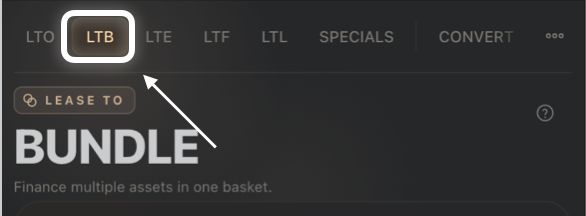
From the Own tab, select LTB.
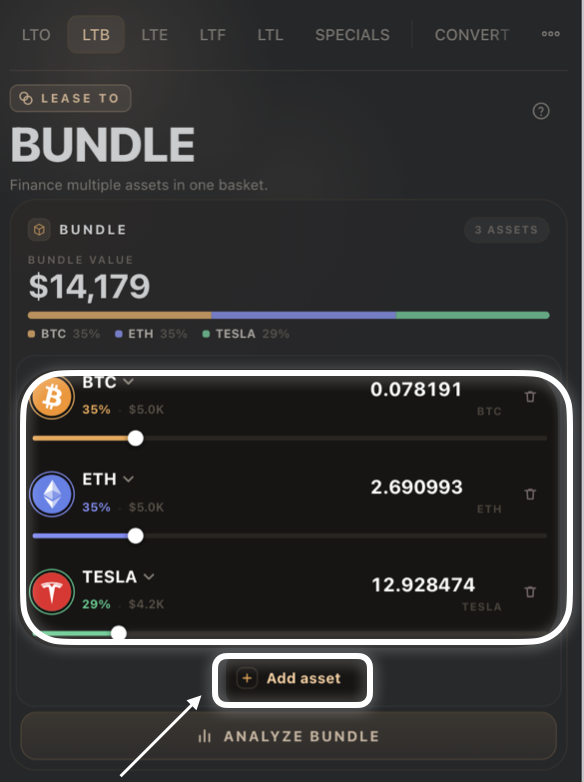
Enter your Bundle Value — the total amount you want to finance across all assets.
Each asset in the bundle shows its own allocation slider and percentage. Adjust each asset's share; the bundle automatically keeps allocations in balance.
Tap Add asset to include another asset in the basket, or tap the trash icon next to an asset to remove it.
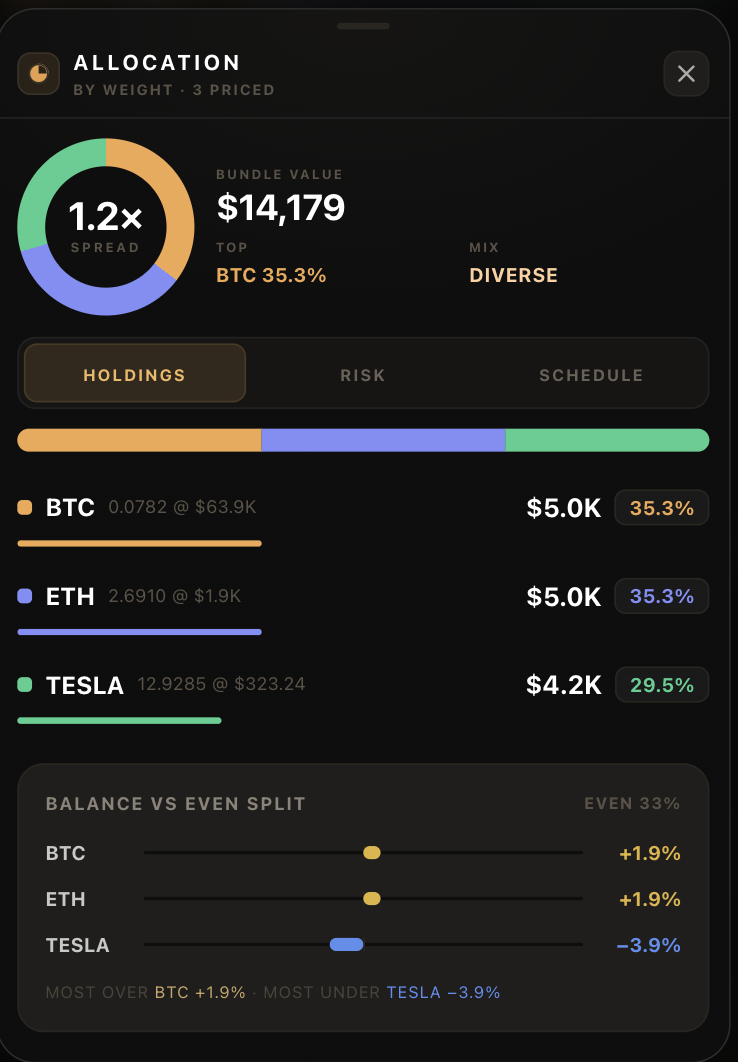
Tap Analyze Bundle to see the combined risk and return profile before continuing.
Step 2 — Down payment and schedule
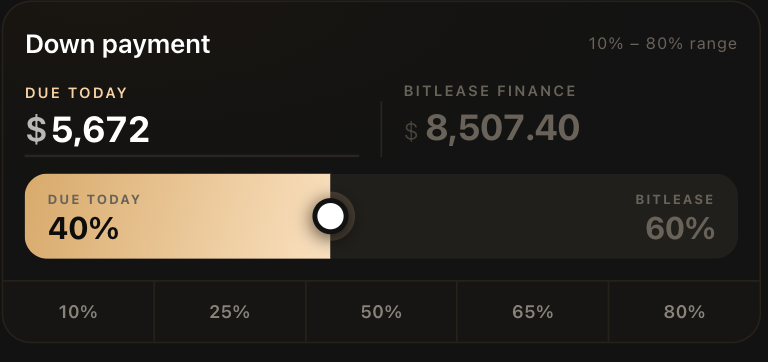
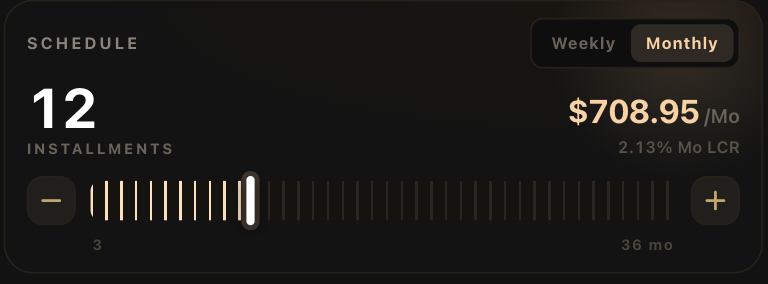
These work exactly as they do on LTO: a Down Payment slider (10%–80%, with quick-pick presets) showing your Due Today amount versus what BitLease Finances, followed by a Weekly/Monthly Schedule with an installment count and live per-period amount.
Step 3 — Preview & sign
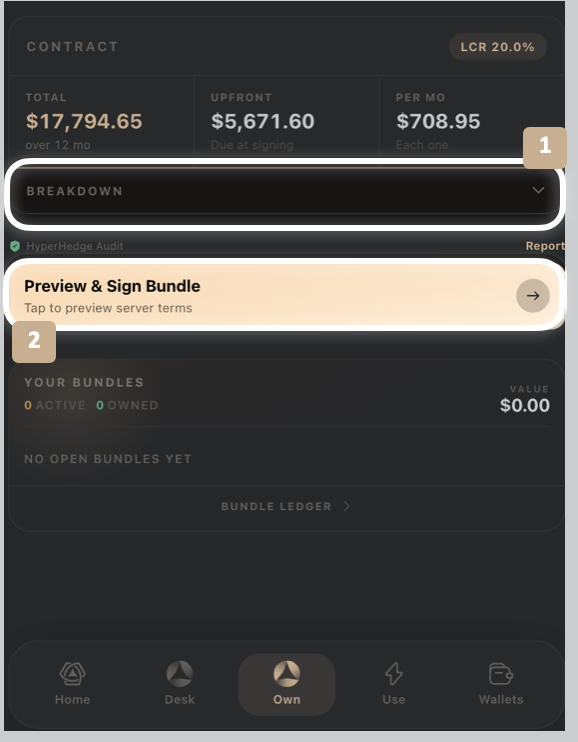
Review the Contract summary, check the HyperHedge Audit indicator, and tap Preview & Sign Deal to confirm your bundle.
Good to know:
Removing or adding an asset automatically rebalances the remaining allocations — you don't need to manually re-total them to 100%.
Bundle Value updates in real time as underlying asset prices move, so the figure you see while building may differ slightly from the amount at signing.
Need Help?
If you encounter issues during account creation, contact BitLease Support:
Email: support@bitlease.com
Subject: "LTB Bundle Issue"
Include: A description of the problem, any error messages, and steps you've already tried.
Response Time: Within 24 hours.
For urgent security concerns, email: security@bitlease.com.
Related articles: How to Build an LTO (Lease-to-Own) · How to Build an LTE (Lease-to-Elect) · A Tour of the Own Tab