A Tour of the Own Tab
Last updated on August 15, 2026
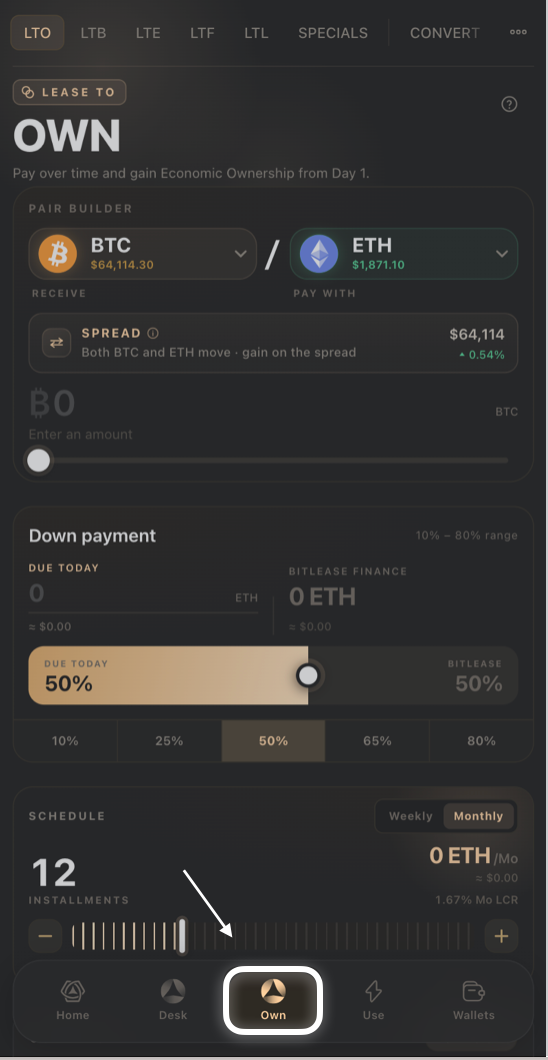
Tap Own in the bottom navigation to get here from anywhere in the app. The top tab bar lets you switch between builders instantly — your inputs on one builder are remembered while you look at another.
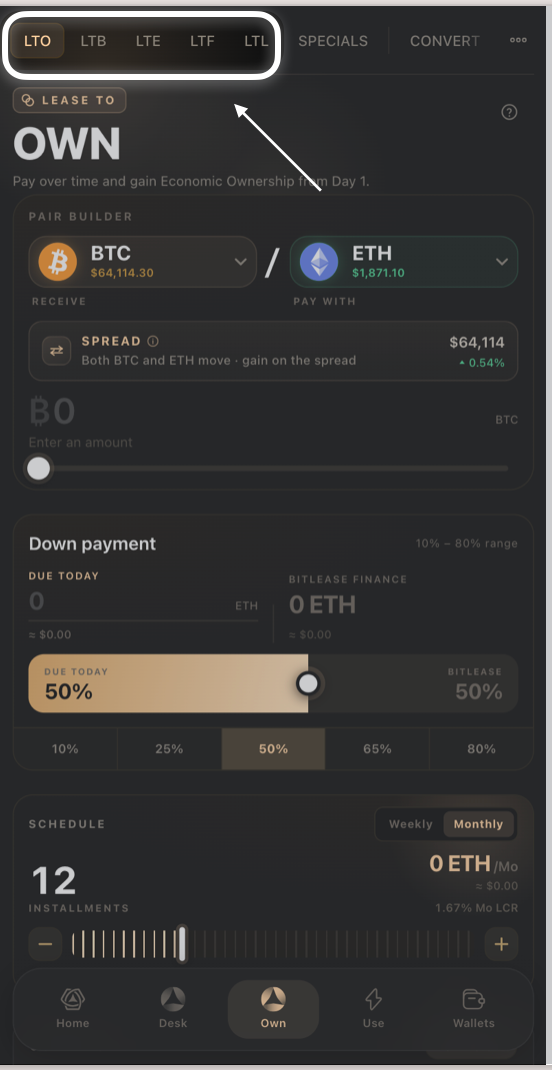
What the tabs mean
- LTO — Lease to Own. Pay over time and gain economic ownership from day one. The classic BitLease product.
- LTB — Lease to Bundle. Finance multiple assets at once, in a single basket, with one payment schedule.
- LTE — Lease to Elect. Reserve several possible assets now and elect which one you actually want within a window.
- LTF — Lease to Forward. Lock today's price and terms, and settle on a future date — a conditional forward sale.
- LTL — Lease to Liquidity. Unlock cash from an asset you already own, with a plan to buy it back over time.
- Specials — pre-negotiated deals the standard builders can't produce, released in limited drops.
- Convert — instant, zero-fee transfers between your Funding Wallet and each product's dedicated wallet (LTO, LTU, LTE, LTB, LTF, LTL).
What every builder has in common
- A "LEASE TO" badge and large product name at the top, with a (?) help icon in the top-right corner.
- A down payment or investment-amount slider, usually with quick-pick percentage or amount buttons underneath.
- A schedule or window control (installments, election window, or delivery window) with quick-pick presets.
- A Deal Recap or Contract card showing the headline numbers, with a Full Breakdown / Breakdown you can expand for the exact fee-by-fee math.
- A HyperHedge Audit indicator with a Report link, shown just above the final action button.
- A final action button — Preview & Sign Deal, Preview & Sign Forward, or Review & Sign LTL — that opens a confirmation screen before anything is submitted.
- A ledger section at the bottom (Your Leases, Your Forwards, Your LTL Contracts) showing your open positions and a link to the full ledger.
Good to know:
Nothing is submitted until you confirm on the Preview & Sign screen — building a deal on any tab doesn't commit you to anything.
Numbers shown while you're still adjusting sliders are estimates; they're recalculated the moment you tap Preview.
Need Help?
If you encounter issues during account creation, contact BitLease Support:
- Email: support@bitlease.com
- Subject: "Own Tab Navigation Issue"
- Include: A description of the problem, any error messages, and steps you've already tried.
- Response Time: Within 24 hours.
For urgent security concerns, email: security@bitlease.com.
Related articles: How to Build an LTO (Lease-to-Own) · How to Build an LTB (Lease-to-Bundle) · Converting Between Wallets